
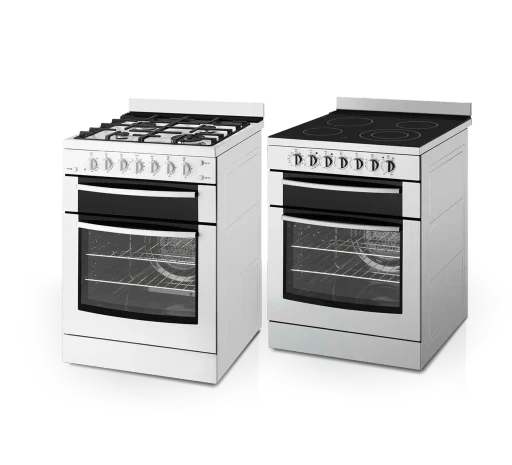
Range illustration from ApplianceGo's existing image library. It does not show an active lock or identify the controls on your model.
First identify what is locked
A padlock symbol, unresponsive buttons and a door that will not open are different observations. Before trying an unlock shortcut, record which one you have and what the oven was doing beforehand. A control setting and a self-clean door latch need different instructions; the word Locked alone does not identify a failed part.
This guide concerns household ranges and wall ovens, not microwave door locks. If there is smoke, fire, suspected gas leakage or uncontrolled heating, stop routine troubleshooting and seek urgent help from a safe place. Do not try to solve a safety warning by clearing a lock indicator.
Control lock concerns the buttons, not every hazard
GE's Lock Controls explanation describes a feature that prevents the oven's electronic controls from responding to ordinary button presses. On the ranges covered by that guidance, it does not disable cooktop burners operated by knobs, although electronically controlled surface burners are locked out.
That distinction matters: a locked panel is not evidence that the whole range cannot be switched on. Do not use the indicator as a substitute for keeping children away or checking the appliance's actual controls. This GE example is not a promise about another brand or model.
Find the Control Lock or Lock Controls section in your own manual. GE describes different button combinations for different models, so this article deliberately gives no universal hold-for-three-seconds shortcut. Whether a model's user-selectable lock also affects its door must come from that model's instructions, not the shape of its padlock icon.
Self-clean can keep the door locked after heating ends
Samsung's U.S. self-clean guidance explains that the door locks during the cycle and remains locked afterward until the oven has cooled sufficiently. It warns against forcing the door because doing so can damage the automatic locking system. Cancelling the cycle is therefore not the same event as immediate door release.
If cleaning was selected accidentally, follow your model's cancellation instructions and allow its cooling sequence to finish. Do not start another cleaning cycle as a generic unlocking trick. A time or temperature mentioned for another oven is not your appliance's guaranteed release point, and an unlocked door does not mean the cavity or escaping air is safe to touch.
Whirlpool's wall-oven door guidance also distinguishes cooling from a stuck manual latch. For the latch arrangement described there, an arm that will not move after cooling to room temperature, or is stuck between its end positions, requires service. Do not translate that into instructions to push a latch on a different design.
Make a lock-state note before asking for help
A useful service request can fit into five lines. Record what is already visible; do not run a test cycle or pull on the door to fill in a blank.
- Identity: brand, complete model and which cavity is affected on a double oven.
- Before the message: cooking, self-clean, cancellation, a power interruption or no recent use.
- Display: exact words, symbols and any separate fault code. A photo can preserve the distinction.
- What is unavailable: buttons, door access or both, based on what you already observed. Note any visible manual latch without manipulating it.
- Sequence: when the cycle ended or was cancelled, the manual instruction followed and whether the indication changed.
If the model label is behind the locked door, use purchase paperwork or an existing photograph. The appliance model-number guide covers safe identification. An inaccessible label is a reason to tell support that the number is missing, not to force access.
When behavior does not match the manual, the door remains unavailable after its documented cooling sequence, or a fault message recurs, contact the manufacturer or a qualified service provider. Do not pry the latch, remove panels, bypass a switch or repeatedly reset power. This note helps describe the problem; it cannot diagnose a lock motor, sensor or control board.
For an ApplianceGo appointment, check your ZIP in the booking form. Service coverage is determined by the ZIPs currently accepted there.
Editorial note: AI-assisted article prepared for ApplianceGo from the linked GE, Samsung and Whirlpool resources, checked October 17, 2026. The lock-state note is editorial guidance, not a technician inspection or a model-specific unlocking procedure.
